
Last Updated: April 10, 2025
If you are navigating through contact records in the eXp International HubSpot instance, please utilize the Brands drop-down menu and choose the respective Brand for your country.
- Navigate to CRM > Contacts
- Once the contact record appears, click on their name, use the search bar to type in the desired contact record.

Contact Overview
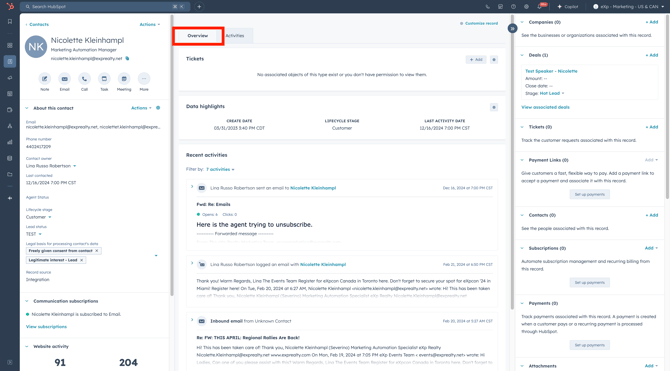
Use the overview portion to see a high-level overview of the contact's activity. View the recent activities, deals, and tickets associated with the contact record.
-
- Simply click on the desired activity you want to view to open it.
Contact Activity
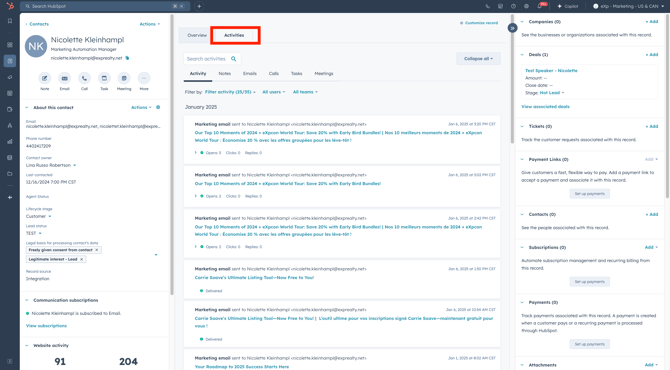
Use the contact activity section to see all the activity the contact has interacted with. View the contact lifecycle, form submissions, marketing emails, one-to-one emails, and more.
-
- To gain a deeper insight into a specific activity, simply click on the desired activity to open it.
🎯 Pro Tip: Use the tabs within the contact activity portion to filter activities related to notes, emails, calls and more!
About This Contact
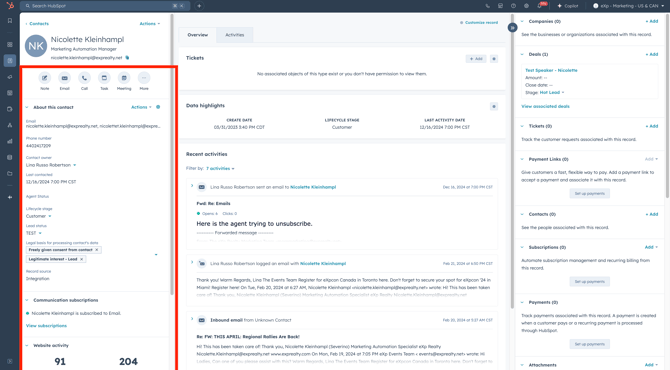
Each contact record provides an about this contact menu , located on the left-hand sidebar, where you can view the contact's personal information.
🚀 Pro Tip Use the icons underneath the contact record name + email address for quick actions, like creating a one-to-one email or note!
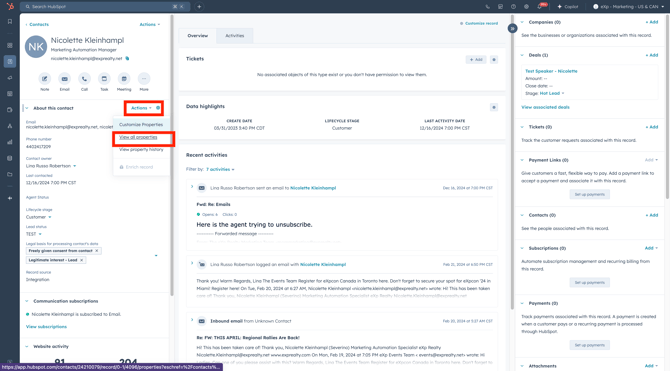
- Use the Actions drop-down menu, then click View all properties to see all the properties for the contact.
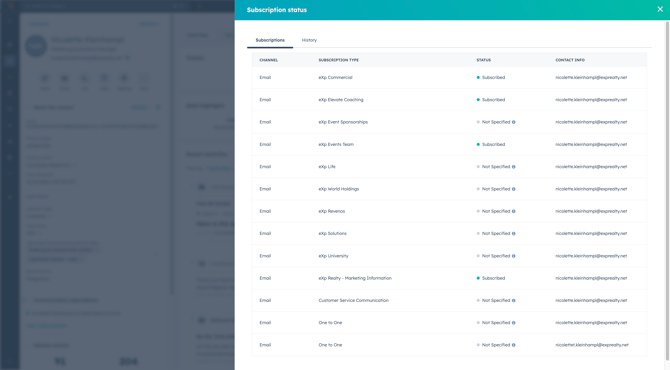
- Use the Communications subscription on the left hand side, then click View all subscriptions to see what the contact is subscribed to.
Need help with unsubscribing a contact? Contact the HubSpot Marketing team to help!
Deals, Tickets, & More
Each contact record provides a deals, tickets, & more menu, located on the right-hand side, where you can view the contact's associated deals, tickets, companies, and more.
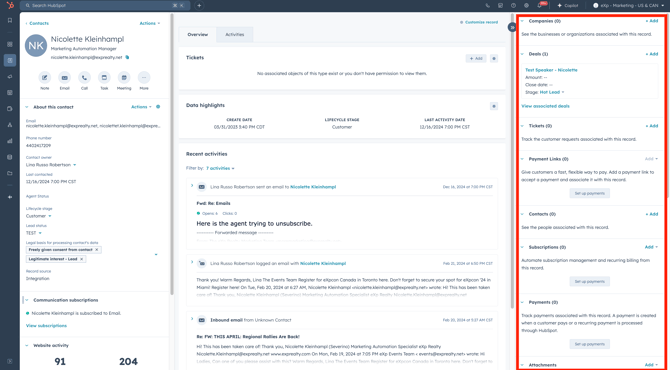
🎯 Pro Tip: You can customize the left + right sidebar menus based on your team! Interested in custom views? Reach out to the HubSpot team and we'd be happy to help!