
Last Updated: August 20, 2025
If you are cloning workflows in the eXp International HubSpot instance, please click here for proper instructions.
- Navigate to Automations > Workflows
- Hover over the workflow you want to clone
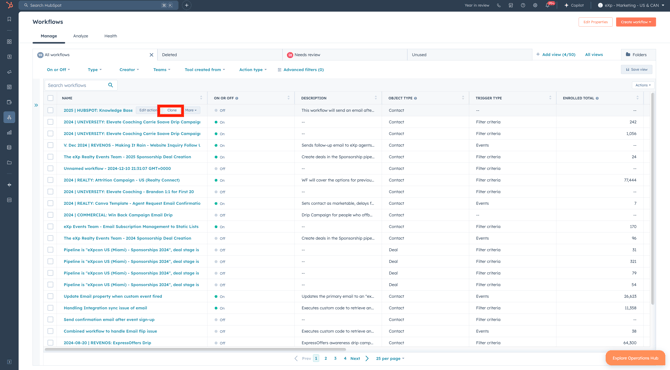
- Rename the cloned workflow
- Click Clone
- Please ensure you are replacing the enrollment triggers, along with any additional actions when cloning workflows.
🚀 Pro Tip: Want more help on how to set your enrollment triggers and adding actions? Click here for help!
Cloning Workflows (eXp International)
- Log into HubSpot
- Use the Brands drop-down menu and choose the respective Brand for your country.
- Navigate to Automations > Workflows
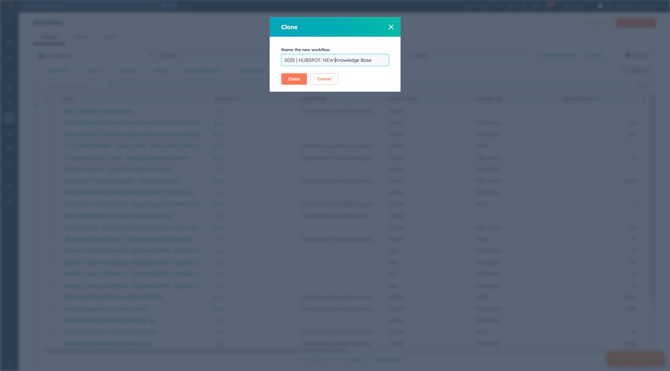
- Hover over the workflow you want to clone
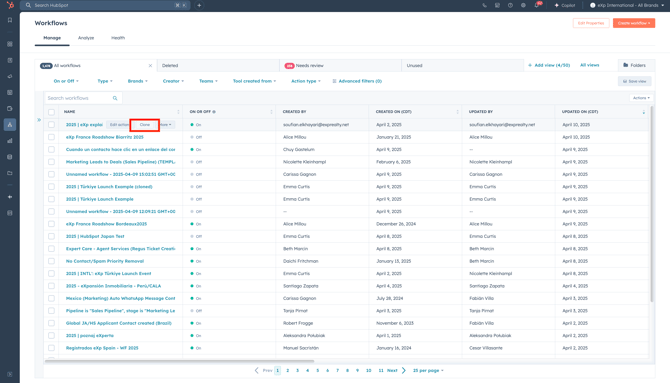
- Rename the cloned workflow
- Choose the Brand you want to clone the workflow into
- Click Clone
- Please ensure you are replacing the enrollment triggers, along with any additional actions when cloning workflows.
🎯 Pro Tip: Want more help on how to set your enrollment triggers and adding actions? Click here for help!
