Last Updated: June 10, 2025
- Cloning forms in HubSpot allows you to save time by replicating the same fields, design and settings. It can help maintain consistency, reinforce branding and quickly set up future campaigns.
If you are cloning forms in the eXp International HubSpot instance, please click here for proper instructions.
- Log into HubSpot
- Navigate to Marketing > Forms
- Hover over the form you want to clone
- Rename the cloned form to its new name
- Click Clone
Please note that your cloned form will use the same form editor when cloned.

Cloning Forms (eXp International)
- Log into HubSpot
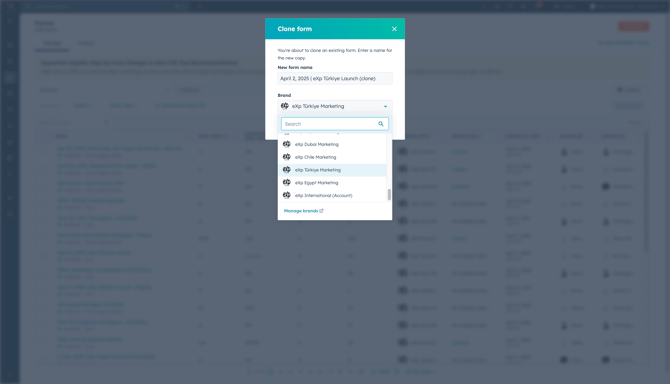
- Use the Brands drop-down menu and choose the respective Brand for your country.
- Navigate to Marketing > Forms
- Hover over the form you want to clone
- Rename the cloned form to its new name
- Choose the Brand you want to clone the form into.
- Click Clone
Please note that your cloned form will use the same form editor when cloned.